
In the Age of AI at Work, Decision Records Come First | LA Tech Week Talk Recap
“That proposal you sent to a client last month: can you find who on your team reviewed it, and what feedback they gave, in the next 30 seconds?”
Collavate opened its talk at “K-Health & Tech Founders Night,” held during LA Tech Week, with this question. Many companies now use AI at work, yet a question like this still makes almost anyone pause. The document is somewhere, but who looked at it and what they said doesn’t come to mind right away.
What you need isn’t the document, but the record of the decision about it
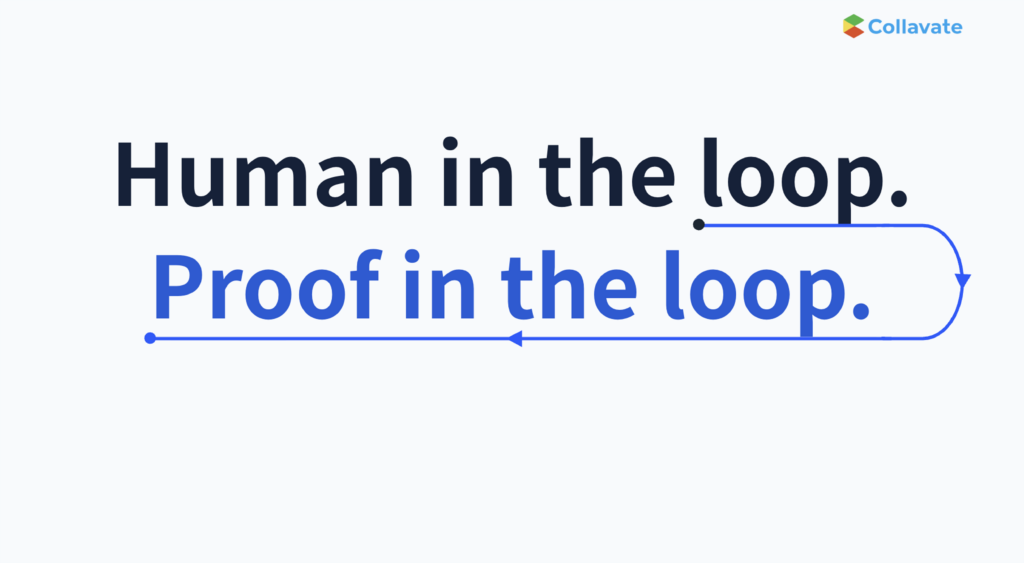
These days, AI handles much of the drafting, summarizing, and comparing. People check what the AI produces and send it out if it looks right. This way of working, where AI creates and a person checks at the end, is often called “Human in the loop.”
But an AI answer is only as trustworthy as the material it relies on. If it builds an answer from an unfinalized draft, one of several copies, or a file no one can say was checked, the answer may sound convincing but be hard to trust. So what you need to find in 30 seconds isn’t the document itself. It’s the record of who checked it and when it was finalized.
It was checked, but the record of that check lived outside the document
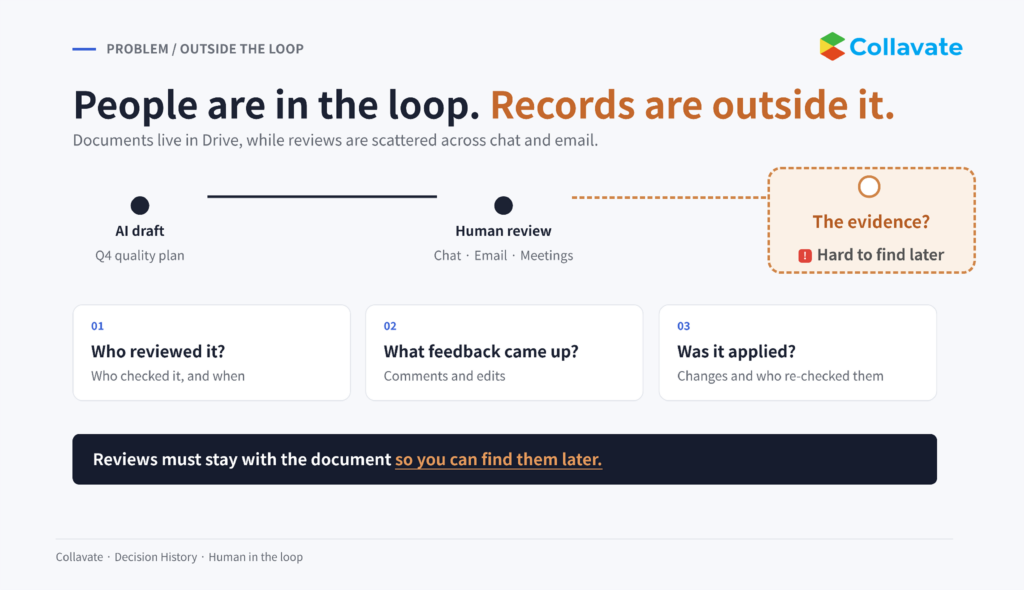
If your team uses Google Workspace, documents like contracts, purchase orders, and proposals are kept safely in Drive. But who looked at them, what feedback they gave, and when they were finalized is scattered across email, chat, and meeting notes.
This gap becomes obvious when you hand work to AI. Say a sales rep asks AI, “What are this year’s supplier unit prices?” There are three price sheets in Drive: last year’s approved final version, a revision the team lead is still reviewing, and a copy another colleague made for reference. People know “that one is still under review,” but AI can’t tell the difference from the files alone. So the AI answers based on the revision that was edited most recently, and the rep might send a client a quote using those numbers.
It’s not that no one checked. The team lead clearly approved last year’s price sheet and was reviewing the revision. But because that only lived in email and meetings and never stayed with the document, the AI had no way of knowing which file was final.
What if you could trace an AI answer all the way back to its source?
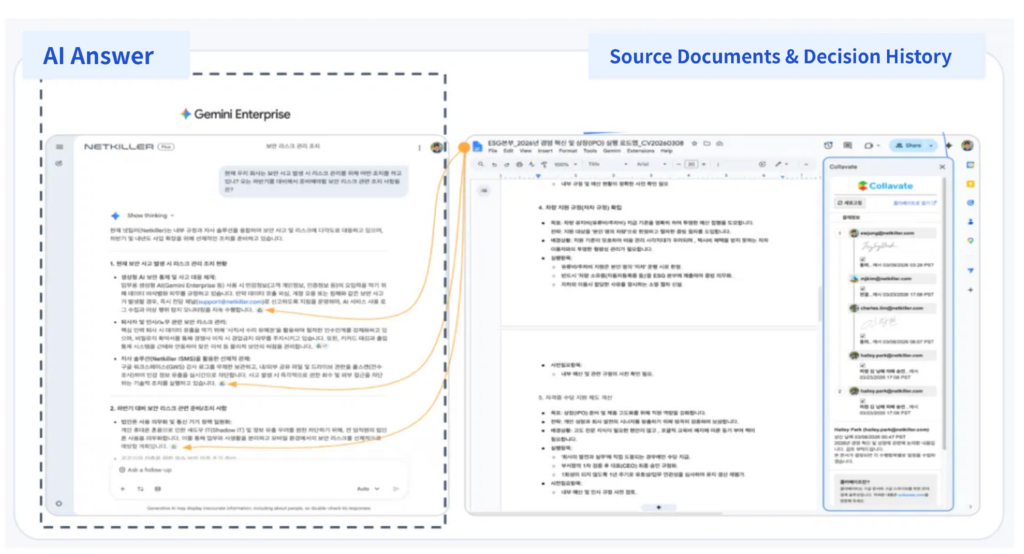
AI like Gemini Enterprise creates answers from documents in Drive. There’s a catch: AI can’t tell on its own whether a document is the final version or a draft. So it may base its answer on an unfinalized draft or a copy.
Connecting Collavate to AI changes this. From an AI answer, you can follow through to the Drive document it was based on, and from there to the record of who finalized it and when. Right where you get the answer, you can check whether the document behind it was actually finalized.
Here’s a real example. On the drive home, a request came in to review the “Q4 2026 Quality Management Plan.” The reviewer went through the document by asking AI questions by voice while driving. The AI found last year’s approved “Q4 2025 Plan” and compared the two side by side. When an important change came up, the reviewer revised the document, added another reviewer, and requested review again. The original request was rejected with a note explaining why.
▶ Watch: Reviewing a document while driving with Collavate MCP (YouTube)
There’s one reason the AI could make this comparison: last year’s document was kept together with a record showing it had been approved.
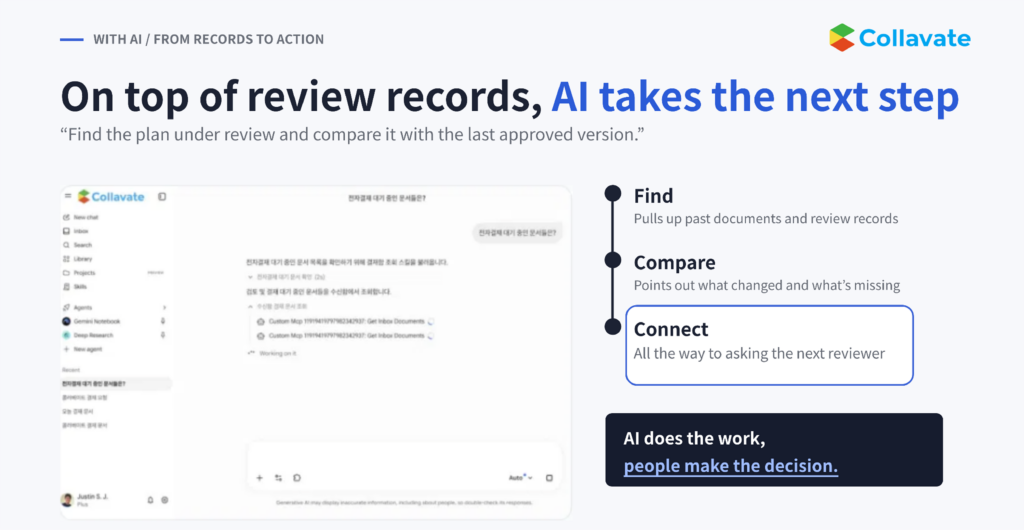
When review records are connected to documents, you can also ask AI things like, “Find the proposal under review and compare it with the last final version.” The AI then pulls up the document and its past review records and lays out what changed and what’s missing. A person looks at that and decides whether to proceed. AI does the work; people make the decision.
Human in the loop. Proof in the loop.
Using Gemini in Google Workspace is no longer the hard part. But for AI to help with important company decisions, there’s something to sort out first: you need to know whether the documents AI relies on have been reviewed and finalized.
Collavate closed its talk with this line: “Human in the loop. Proof in the loop.” It means a person checking isn’t the end of it; the proof that they checked has to be kept as a record, too.
How does Collavate keep the record?
Collavate is a document review and decision service that works inside Google Workspace. It keeps the checking process, once scattered across email and chat, as a record on the document itself. There’s no new program to learn; you keep using the Google Drive documents you already have. Review happens in three steps.
- Request review: Choose who will review the Drive document and in what order, then send the request.
- Review together: Reviewers leave comments and make edits right on the document.
- Record the decision: Once the decision “OK to proceed” is made, who confirmed it, when, and in what state stays with the document.

Collavate calls these accumulated records “Decision History.” Put simply, who looked at the document, what they changed, and when it was finalized is attached to the document itself.
Because review happens on the original Google document, the content, edit history, comments, review order, and decision time all stay together in one place. Unlike keeping only a PDF copy at the time of the decision, anyone, person or AI, can later open the original document and check or compare it as is.
The original documents are stored in your company’s Google Drive from the start. If you connect a Connected Ledger, each decision is also logged automatically as a new row in Google Sheets. You can create a new sheet for the ledger or connect one you already use.
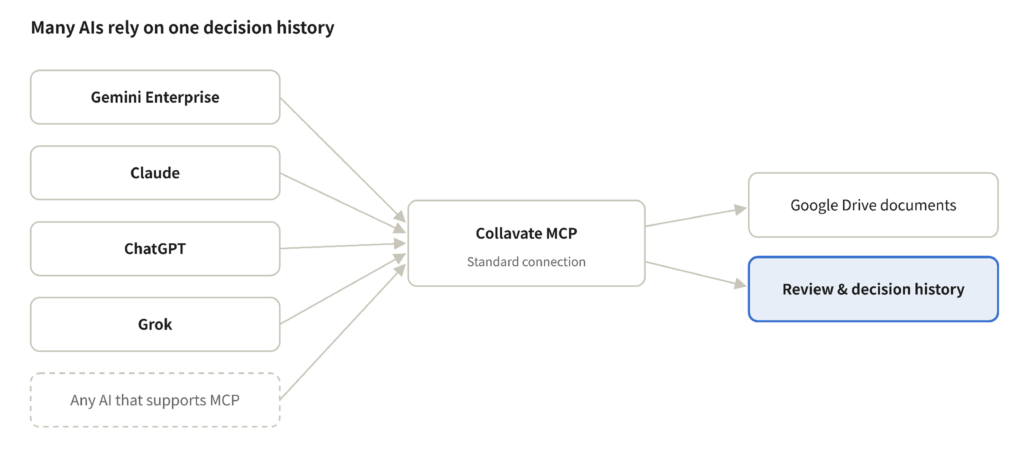
Whichever AI you use, it relies on the same record
MCP (Model Context Protocol) is a common standard that lets AI pull in and use information from outside services. Collavate connects to AI this way. It currently works with Gemini Enterprise and Claude, and from the connected AI you can pull up documents under review, finalized documents, and their review records.
Because it follows a common standard, you aren’t tied to any single AI. Even if teams use different AI tools, they can all answer based on the same Decision History.
Which documents should you start with?
- Contracts and proposals: who gave final sign-off on documents sent to clients
- Quality plans and validation reports: tracking change history in medical devices and manufacturing
- Operating policies and data-use standards: internal standards for digital health and IT services
- Product descriptions and submissions: the review history of materials submitted externally
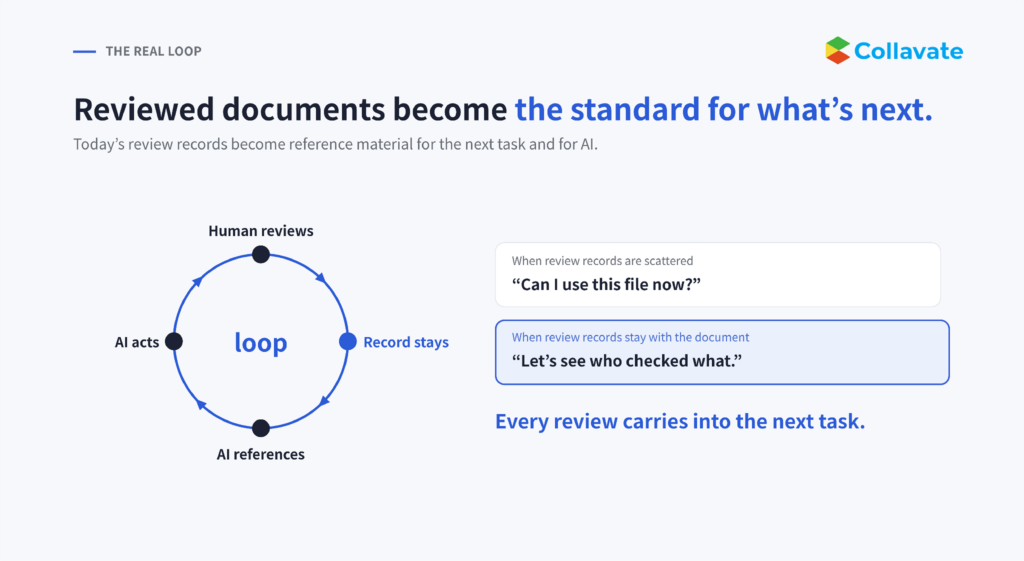
A document that has been reviewed doesn’t just sit in a folder. It becomes the standard for the next task and for AI’s answers. Instead of asking again, “Can I use this file now?”, you can see who checked what and move straight on to the next task.
Records before tools
Let’s go back to the opening question. If you can find who checked last month’s proposal in 30 seconds, AI can answer based on the same record. But if people can’t find a record, neither can AI.
The review and decision records you keep today become the material AI draws on when it makes judgments a year from now. As the reasons behind decisions build up, you avoid repeating the same mistakes, and your decision criteria carry on even when people change roles. Both AI answers and human decisions get better with well-kept records.
Thank you to everyone who joined us at the event. Start with today’s decisions and keep them as records, right in the Google Workspace you already use.